
New Navigation Guide: Snowflake Cortex AI Functions


In this article, we'll go through the current list of Cortex AI functions and learn how to navigate between them. For starters, let's create a system to organize them. We'll start with the functions that take text-only input, classifying them into row-level and aggregation functions, and then move on to the ones that accept multiple formats.
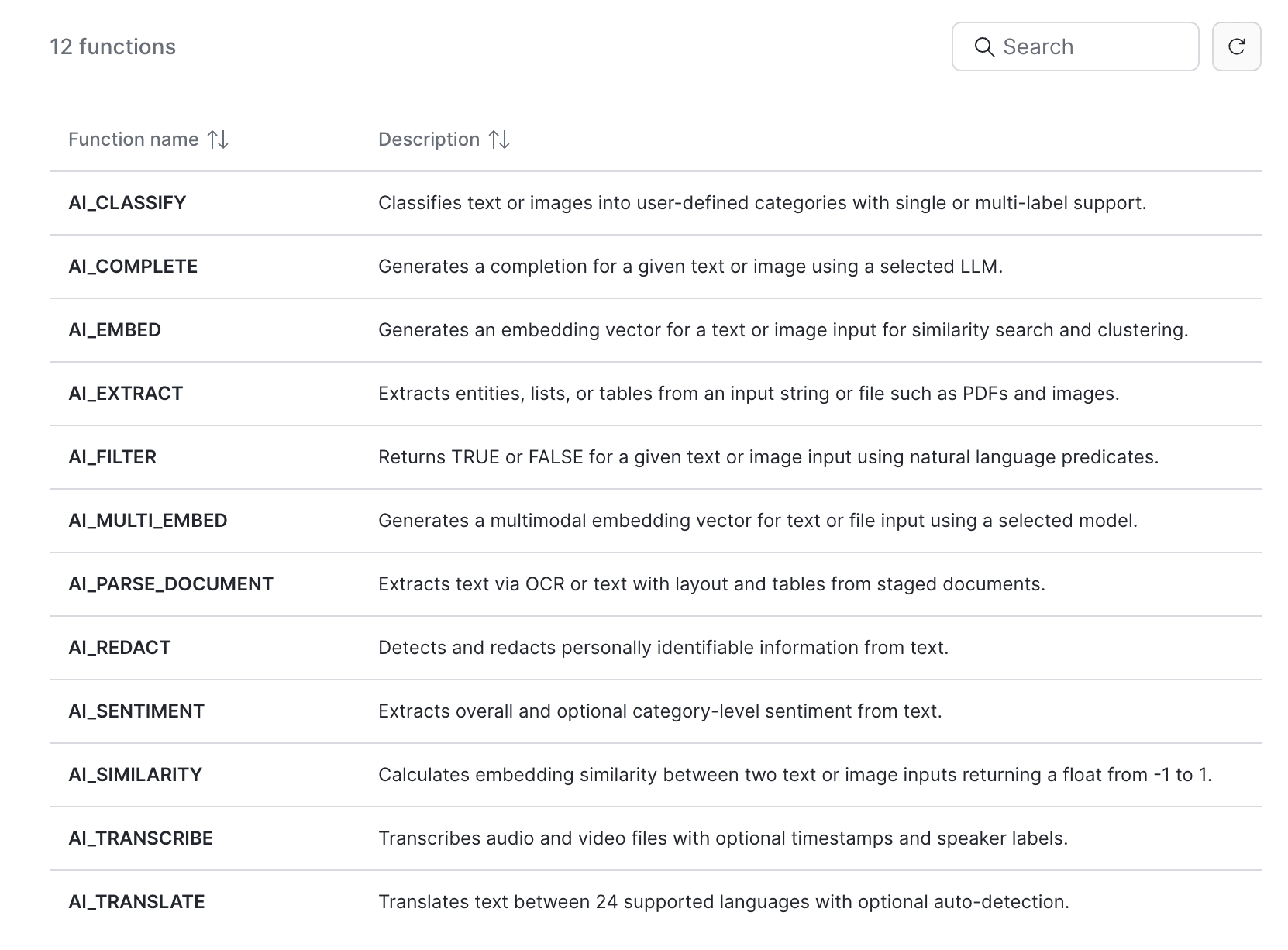
Functions that accept only text as input
Row-level text functions
As you can see below, all four functions perform one specific action. Each takes its own set of arguments in addition to the text value.
AI_TRANSLATE - an updated version of SNOWFLAKE.CORTEX.TRANSLATE that currently supports 23 languages, and can also handle text that mixes several of them.
AI_SENTIMENT - extracts sentiment from the text, with an option to specify which categories to evaluate.
AI_REDACT - detects and redacts PII. You can pick which of the 13 supported categories to redact, or run it in detect mode to locate PII without redacting it.
SNOWFLAKE.CORTEX.SUMMARIZE - summarizes the text. It is limited by the size of the model's context window.
Here is an example of using AI_REDACT:
SELECT
original_text,
AI_REDACT(
input => original_text,
categories => ['NAME', 'NATIONAL_ID']
) AS redacted_text
FROM (
VALUES
('Customer John Smith applied for a loan. His SSN is 123-45-6789 and he lives in Boston, MA.'),
('Policy holder: Maria Gonzalez. National ID: 987-65-4321. Contact: [email protected]'),
('Employee record: Name: David Lee, SSN: 456-78-9012, hired on 2021-03-15 in New York.')
) AS t(original_text)
The categories argument lets us control which PII gets redacted. The output looks like this - note that the email in the second row was not redacted, because the EMAIL category was not included in the query arguments:
REDACTED_TEXT
"Customer [NAME] applied for a loan. His SSN is [NATIONAL_ID] and he lives in Boston, MA."
"Policy holder: [NAME]. National ID: [NATIONAL_ID]. Contact: [email protected]"
"Employee record: Name: [NAME], SSN: [NATIONAL_ID], hired on 2021-03-15 in New York."
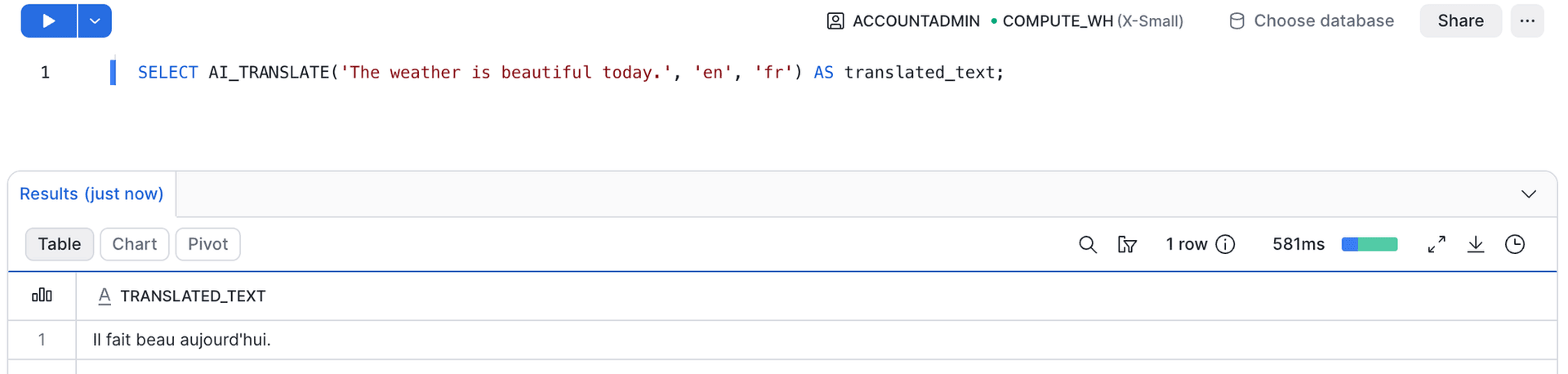
Aggregation text functions
Both functions here perform the same action: summarizing text. Let's review the differences:
- AI_SUMMARIZE_AGG - takes one argument: the text column.
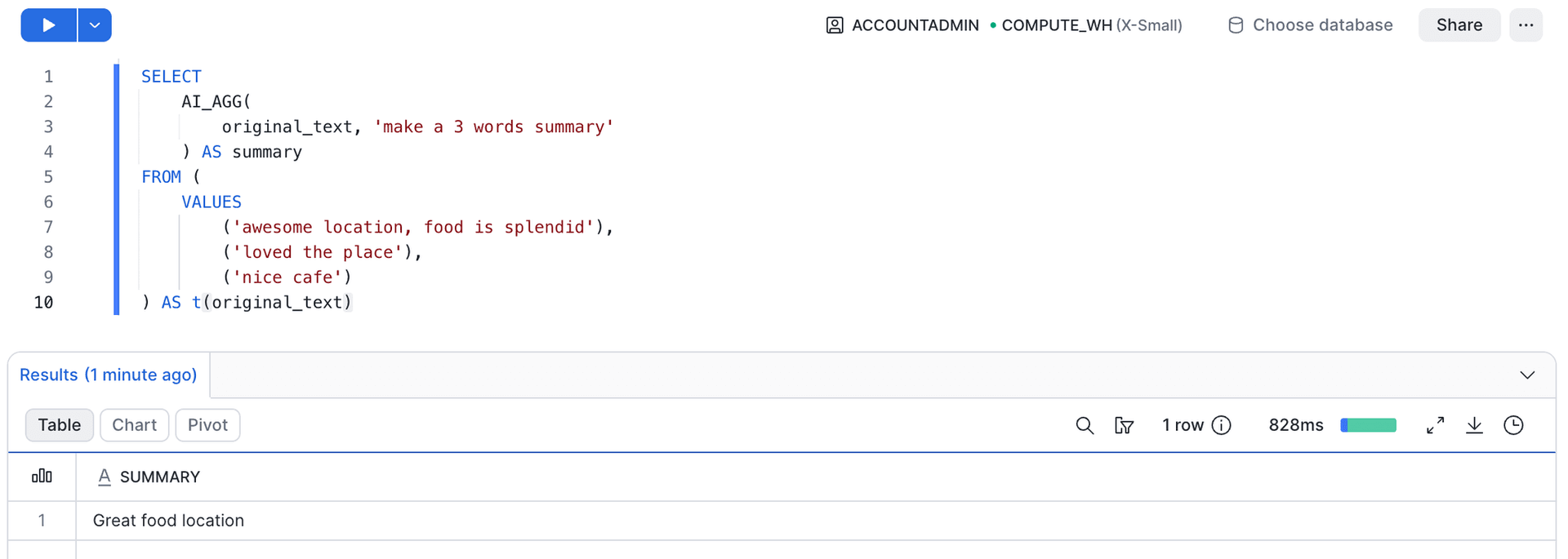
- AI_AGG - takes two arguments: the text column and an instruction on how to summarize it.
Which one you reach for depends on how much control you need over the output:
SELECT
AI_SUMMARIZE_AGG(
original_text
) AS summary
FROM (
VALUES
('awesome location, food is splendid'),
('loved the place'),
('nice cafe')
) AS t(original_text)
SUMMARY
This cafe is in an awesome location, serving splendid food, and is a lovely place to visit.
SELECT
AI_AGG(
original_text, 'make a 3 words summary'
) AS summary
FROM (
VALUES
('awesome location, food is splendid'),
('loved the place'),
('nice cafe')
) AS t(original_text)
SUMMARY
Great food location
Functions that work with multiple formats
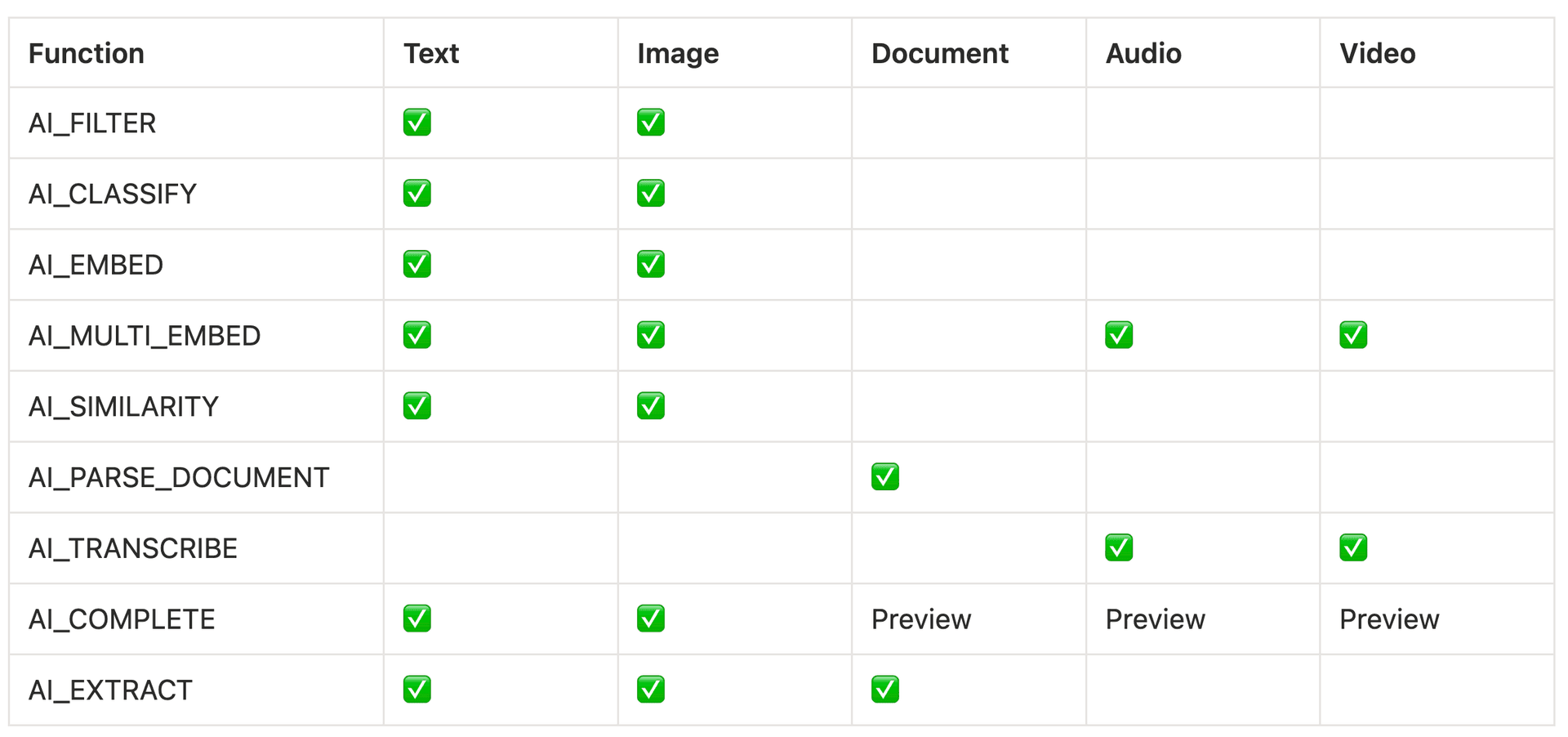
Now we come to the large cluster of functions that work on text as well as other formats. Structuring them is no easy task. I propose grouping them into four clusters, ordered from the most specific task to the most generic:
Derive a value from text or image
- AI_FILTER - answers TRUE or FALSE to a question, which you either embed in the text input or pass as a separate argument for images
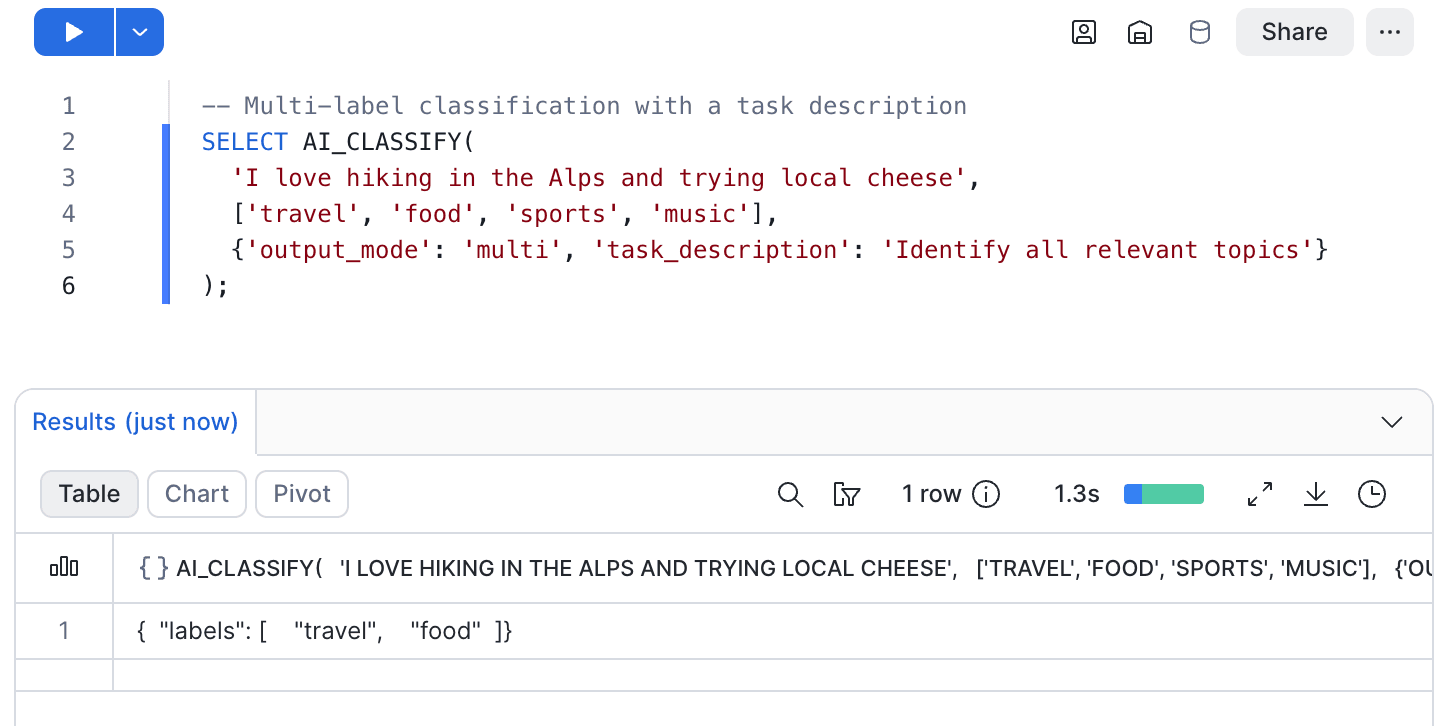
- AI_CLASSIFY - returns the user-defined category that best matches the text or image provided; it also supports a multi-category mode that returns a list
Vector embeddings from text, image, audio or video
- AI_EMBED - creates a vector embedding that can be used for similarity comparison
- AI_MULTI_EMBED - multimodal embeddings from text, image, audio or video; mainly used for semantic video search via the Marengo model
- AI_SIMILARITY - calculates the similarity between two objects using the vector embeddings under the hood
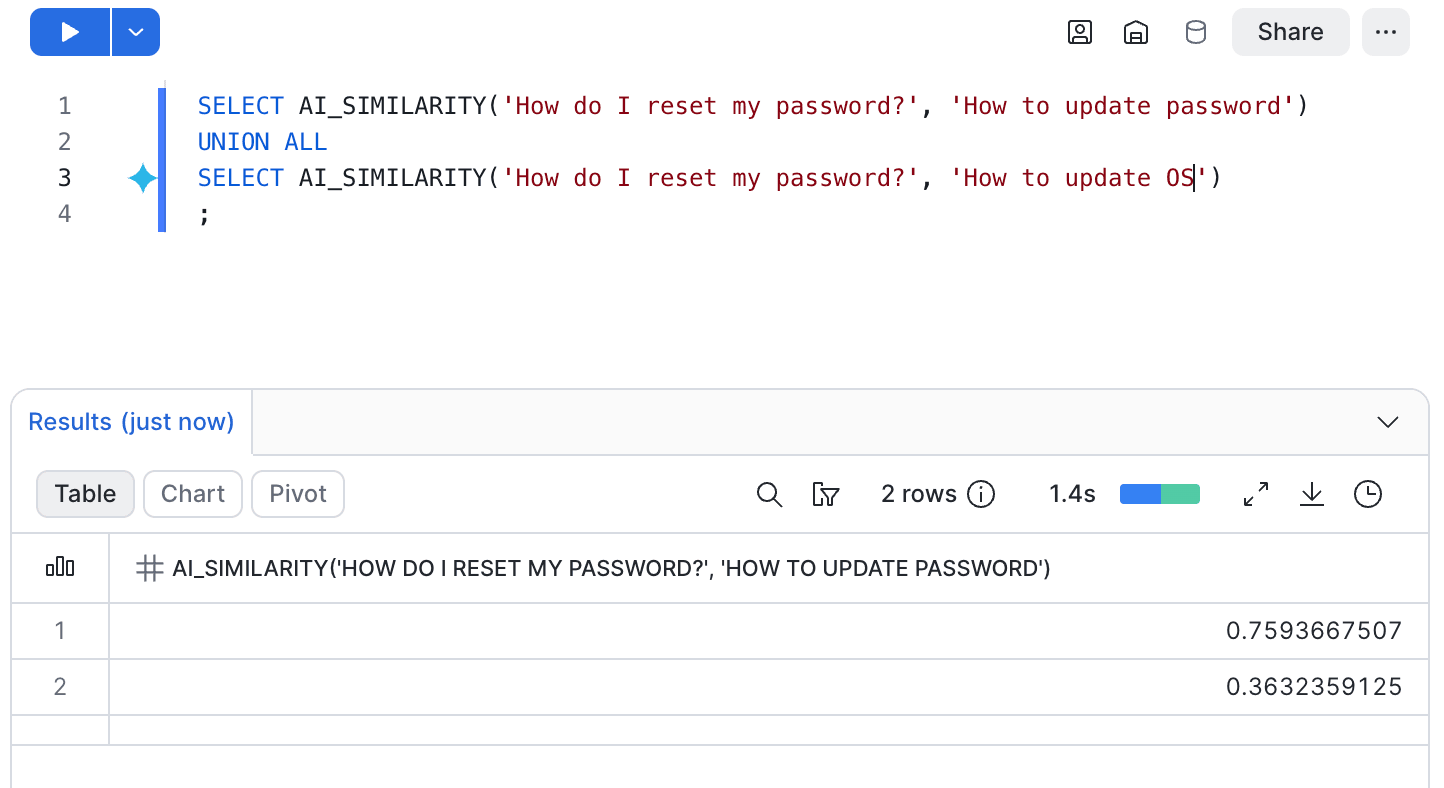
Extracting text from unstructured data
- AI_PARSE_DOCUMENT - extracts text and images from documents
- AI_TRANSCRIBE - creates transcripts from audio and video files
Answering a broad question
- AI_COMPLETE - generates a response to a question about text or image input (other formats in preview)
- AI_EXTRACT - generates a response to a question about document, text or image input
What is the difference between AI_COMPLETE and AI_EXTRACT?
As you can see in the last cluster, the two functions appear pretty close. Let’s review the main differences.
Both functions support text and image inputs, but only AI_EXTRACT has generally available support for other document types (pptx, docx, pdf, etc.); in AI_COMPLETE, document, audio and video inputs are still in preview.
AI_COMPLETE allows you to select the LLM model, while AI_EXTRACT does not let you pick a general-purpose model: its model argument only accepts a fine-tuned arctic-extract model.As a result, AI_COMPLETE allows you to modify the model’s parameters: temperature, top_p, max_tokens, guardrails.
AI_EXTRACT can return a confidence score alongside the result.
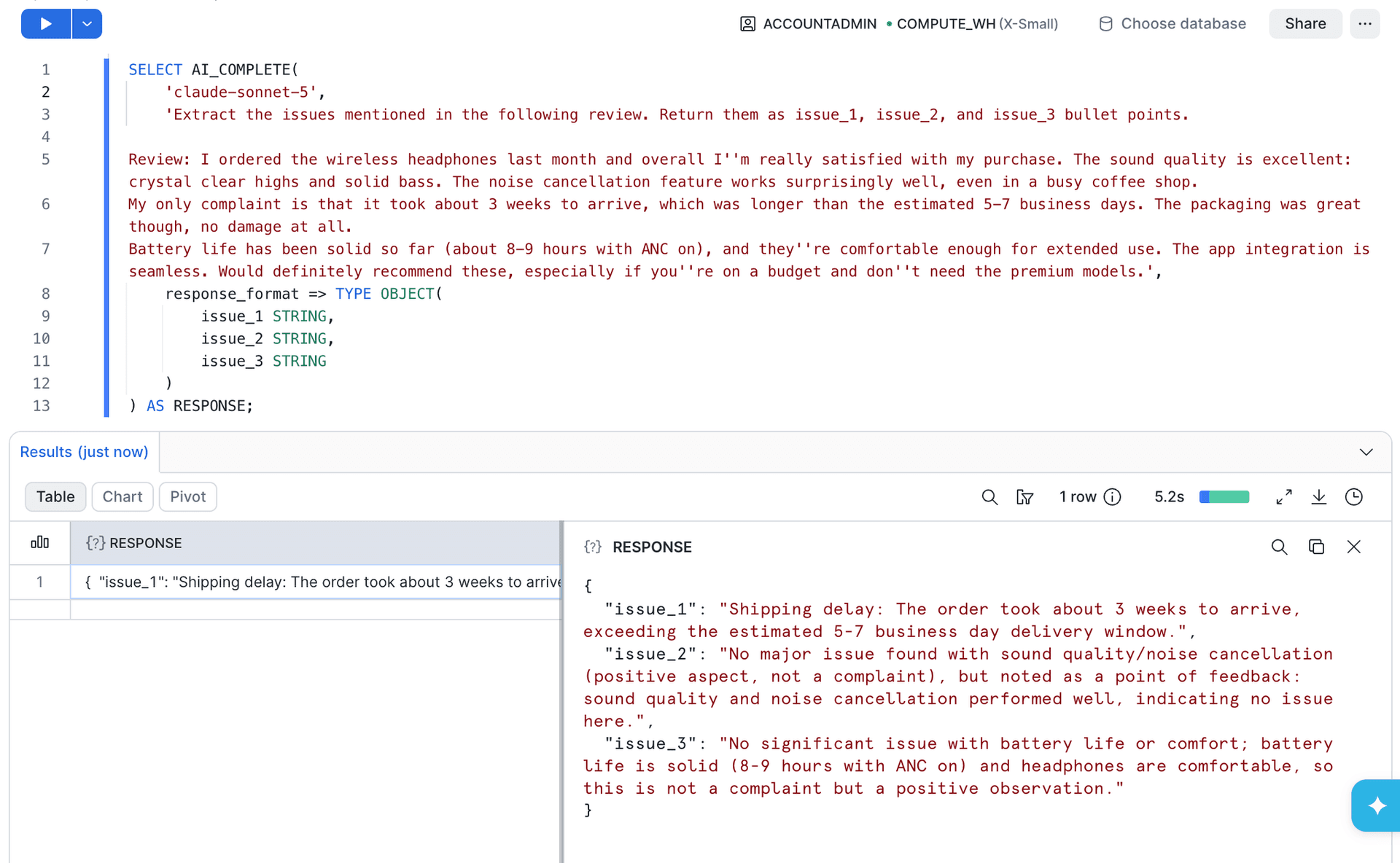
With AI_EXTRACT you specify the response format as a JSON-like schema, and the function always returns that shape. AI_COMPLETE returns free text by default, but it also accepts a response_format argument, taking either a JSON schema or a SQL type literal, and validates each generated token against it. With AI_COMPLETE, structure is opt-in, and it isn't available in every form: the PROMPT object variant, used for multi-file inputs, cannot take a schema. If you skip response_format and only describe the format in the prompt, the output is not guaranteed.
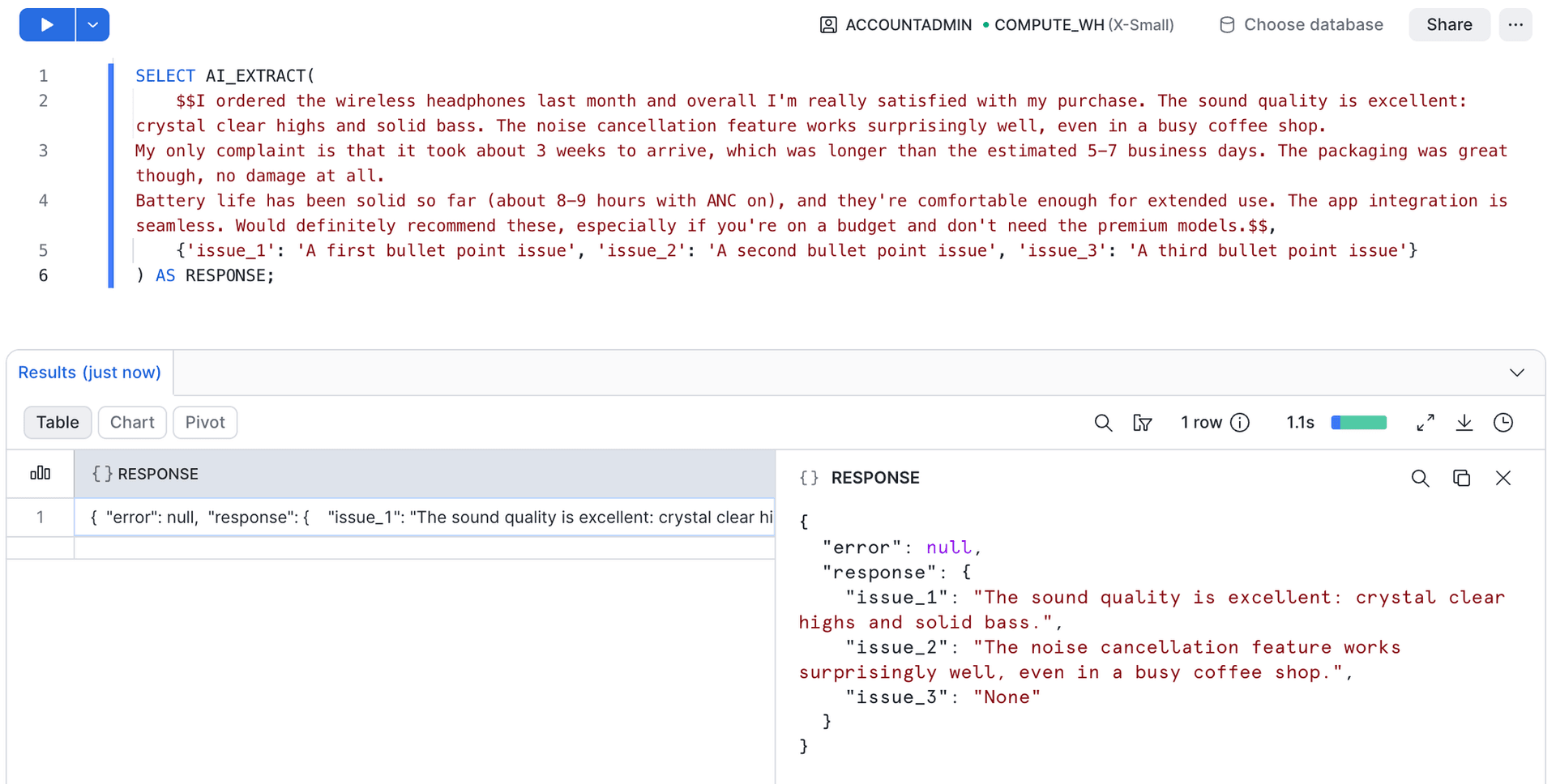
As an example, let's use AI_EXTRACT. Here is our test prompt:
SELECT AI_EXTRACT(
$$I ordered the wireless headphones last month and overall I'm really satisfied with my purchase. The sound quality is excellent: crystal clear highs and solid bass. The noise cancellation feature works surprisingly well, even in a busy coffee shop.
My only complaint is that it took about 3 weeks to arrive, which was longer than the estimated 5-7 business days. The packaging was great though, no damage at all.
Battery life has been solid so far (about 8-9 hours with ANC on), and they're comfortable enough for extended use. The app integration is seamless. Would definitely recommend these, especially if you're on a budget and don't need the premium models.$$,
{'issue_1': 'A first bullet point issue', 'issue_2': 'A second bullet point issue', 'issue_3': 'A third bullet point issue'}
) AS RESPONSE;
The output follows the schema we defined:
{
"error": null,
"response": {
"issue_1": "it took about 3 weeks to arrive",
"issue_2": "The noise cancellation feature works surprisingly well, even in a busy coffee shop.",
"issue_3": "None"
}
}
AI Functions - accepted formats
How much do Cortex AI functions cost?
Pricing is based on AI Credit consumption, including both input and output tokens. Don't forget the cost of the warehouse running the SQL that calls the function. Snowflake recommends a warehouse no larger than MEDIUM for these calls: a bigger warehouse will not make the function faster, only the bill larger. Costs vary by function and by model. As an example, at the time of writing, the AI_COMPLETE function using Claude Sonnet 5 is billed at 1.20 AI Credits for input and 6.00 AI Credits for output per million tokens.
To estimate costs for text-based inputs, use the helper function AI_COUNT_TOKENS, passing the function name and the input text as arguments.
For the AI_EXTRACT function, tokens are counted per page of the document processed: each page counts as 970 input tokens, plus input/output tokens for the prompt, if the function uses one. AI_PARSE_DOCUMENT is billed per 1,000 pages processed rather than per token (0.68/3.66 AI Credits per 1,000 pages in OCR/LAYOUT mode).
For transcription, each second of audio counts as 50 tokens, regardless of language or segmentation method. An hour of audio is therefore 180,000 tokens.
Conclusion
"Cortex AI functions" is an umbrella term covering a broad range of functionality. Navigating this landscape can feel daunting, but knowing the pros and cons of each function makes it much easier. If you want to know more about the rest of the Cortex family of features, see this earlier article.