
Five Ways to Use Snowflake CoCo You Did Not Consider


Hey everyone, today I'm bringing you five non-obvious ways to use Snowflake CoCo. In the era of AI, we all use assistants like CoCo for various tasks, and I would like to inspire you to take some new approaches with it. Examples I bring will build on one another, but you can also use them independently. Let’s see what new things CoCo can do!
Audit your account
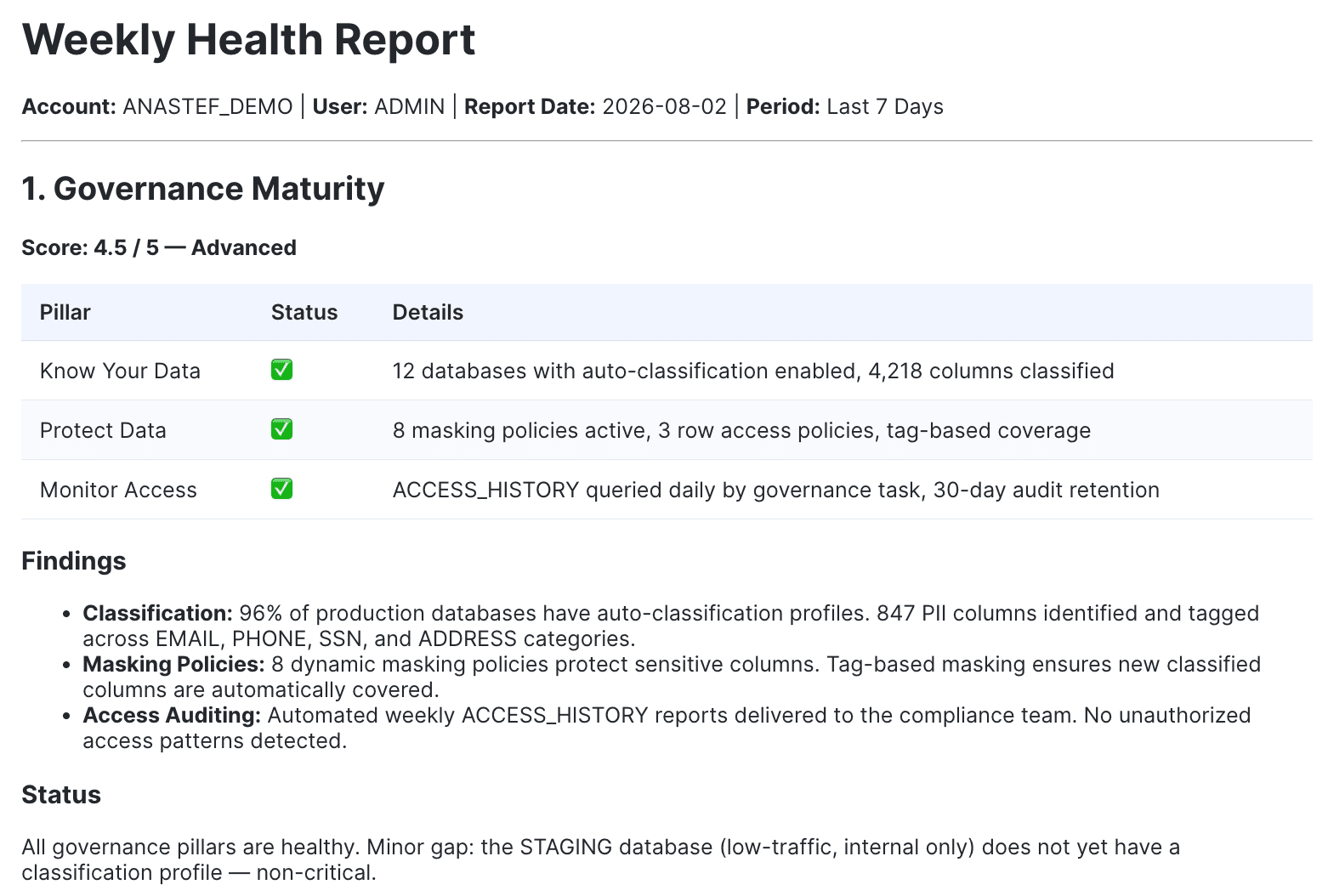
While we all spend a lot of time asking AI agents to do things for us, it is definitely a great idea to check their work, as well as ours (from those pre-AI days!). CoCo has a set of built-in skills to audit your account:
- Cortex Agents and Analyst: /semantic_studio
- Governance and observability: /data-governance
- Cost insights: /cost-intelligence
- Data quality: /data-quality
- AI preparedness: /ai-readiness-score
- Your own skills: /skill-development
… and the list is ever growing.
I recommend using these skills as collections of best practices and checking your account against them. Chances are (and it definitely happened to me more than once) CoCo itself will not always follow every best practice from its own list on the first pass. After you’ve created something with it, run another pass to check the outputs!
Reverse-engineer and learn from CoCo skills
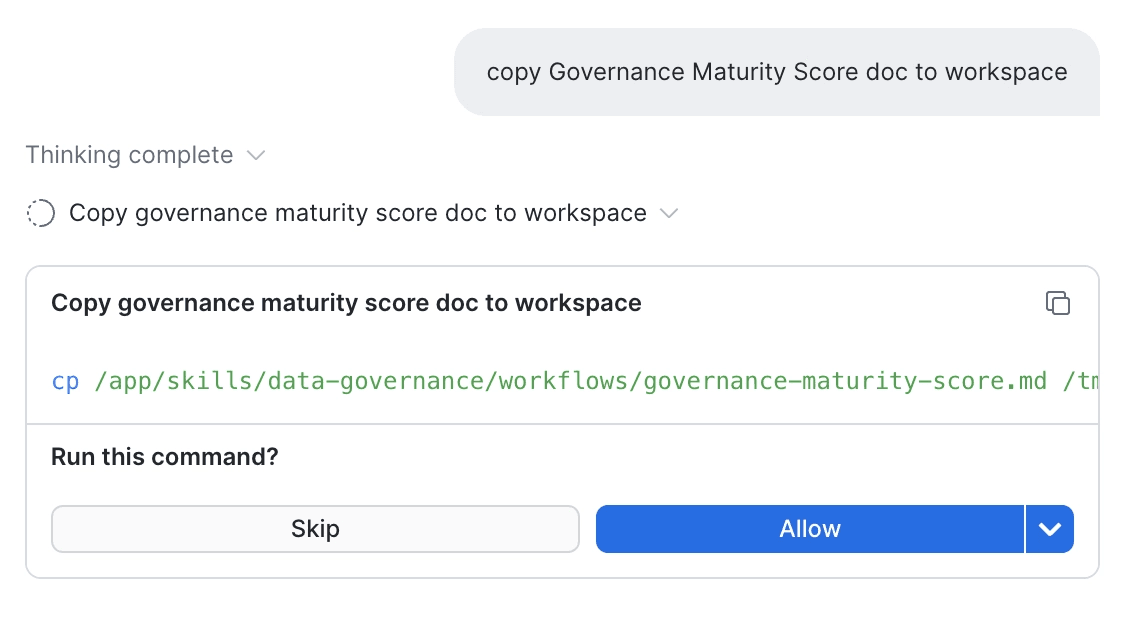
More often than not, the results of such assessments will come back with a score lower than expected. Is it bad? It depends. Your setup might be genuinely strong but failing against a hard-coded, overly generalized rule. Or the audit might have uncovered a real weakness. The point is this: whether you want to validate what's behind these audits or just satisfy your curiosity, you can see the backbone of the skills by copying their contents into your workspace to explore at leisure.
Multi-agent teams and subagents
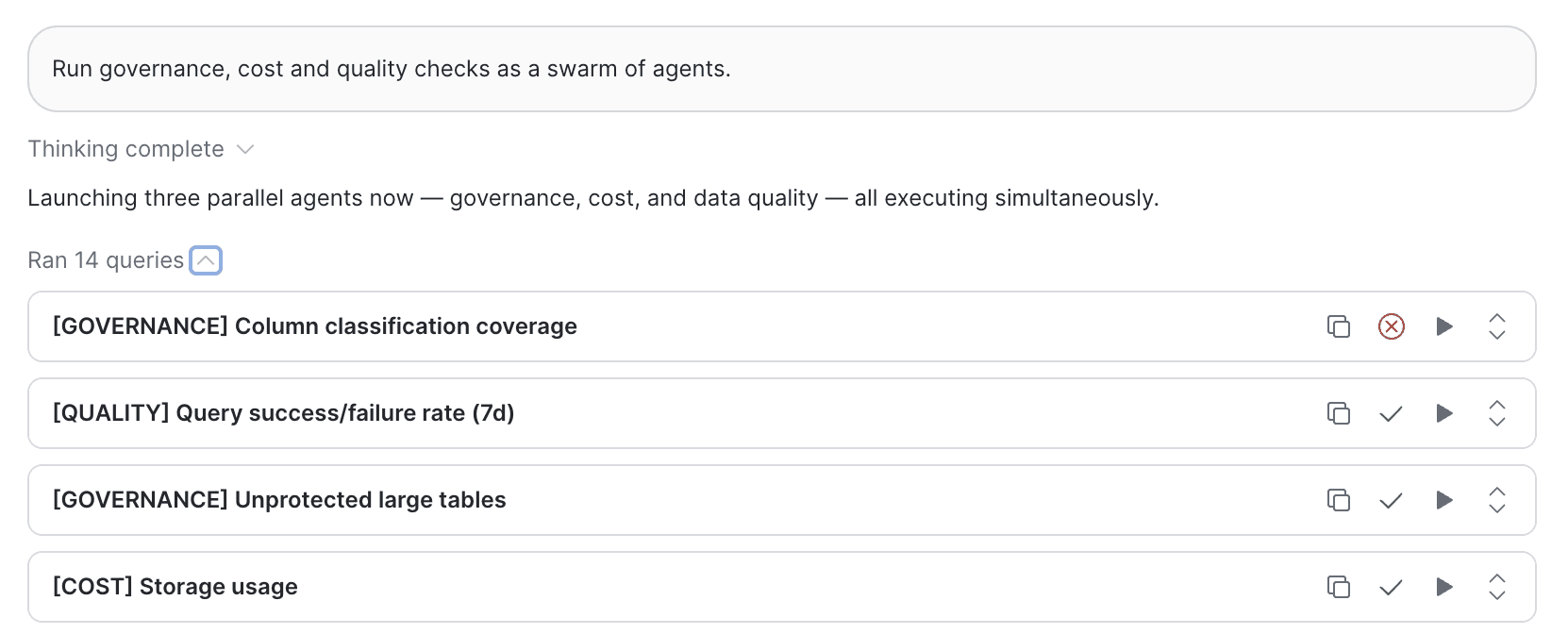
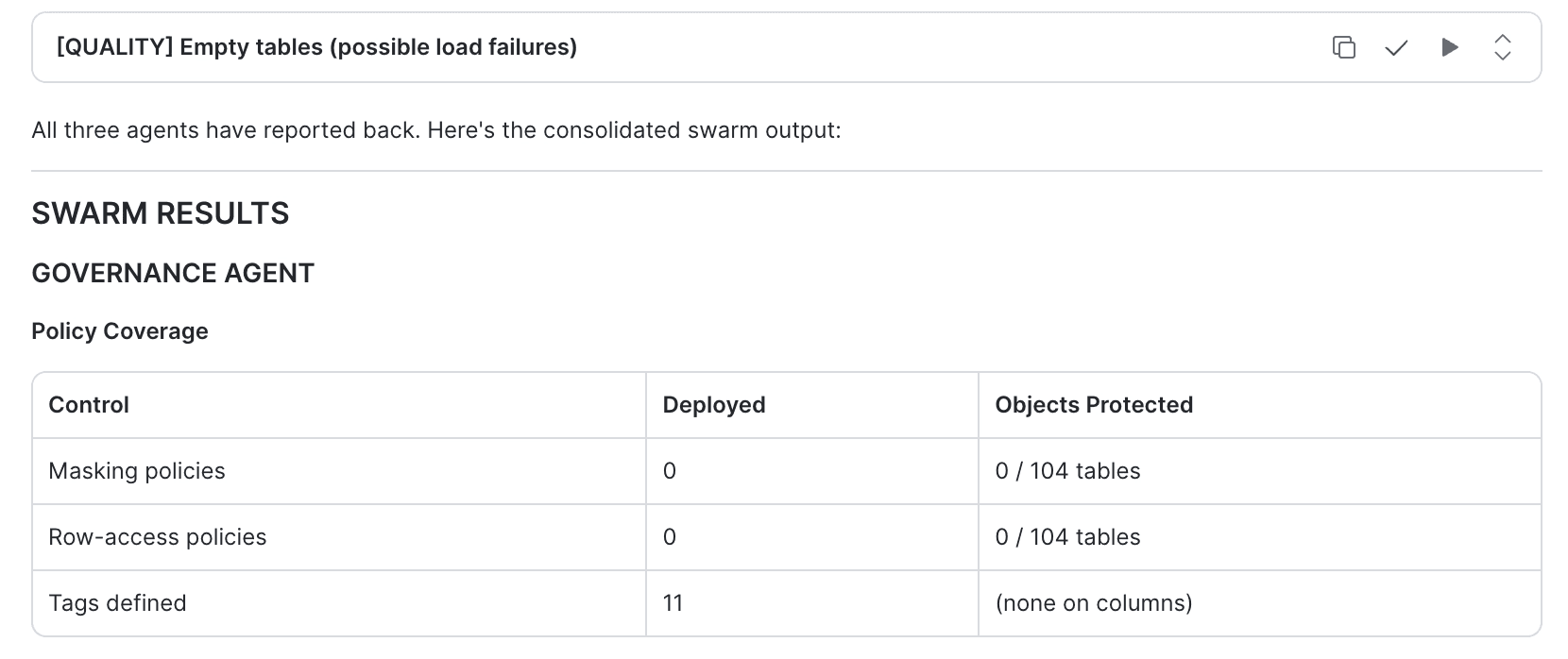
Looking closely at the above list of tasks and skills, you could already draw inspiration for the next tip: parallelize CoCo’s work. Indeed, this is an option often overlooked: you can run a team of agents in a sub-workflow within a CoCo session, where the subagents share context and feed their outputs to a parent agent. All you need to do is ask for a team of agents or swarm. Note that it is best used for complex multi-stage tasks. Keep in mind that in some cases CoCo might still exercise its judgment to run with one agent, if it believes it will be more efficient that way.
Synergy with Claude Code
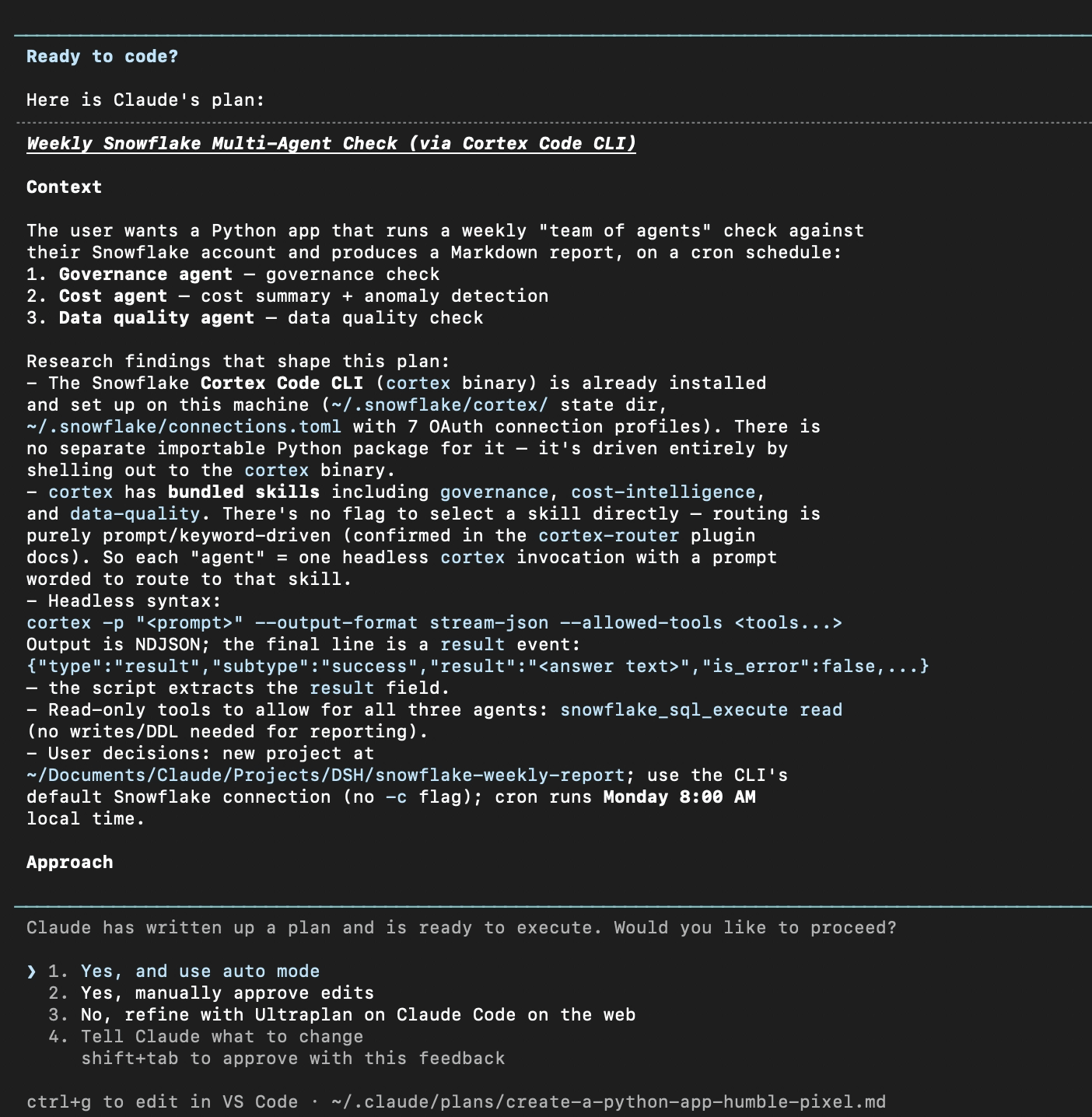
CoCo is great inside Snowflake, but how do you bring it to the broader world? Here is my favorite, and a bit of a hidden gem: Claude Code plugin. Once the plugin is installed, you can let Claude and CoCo discuss the approach and execution without breaking your flow or switching between interfaces. Why? - Let the new data-eng-bench benchmark answer this question.
Using CoCo in other apps
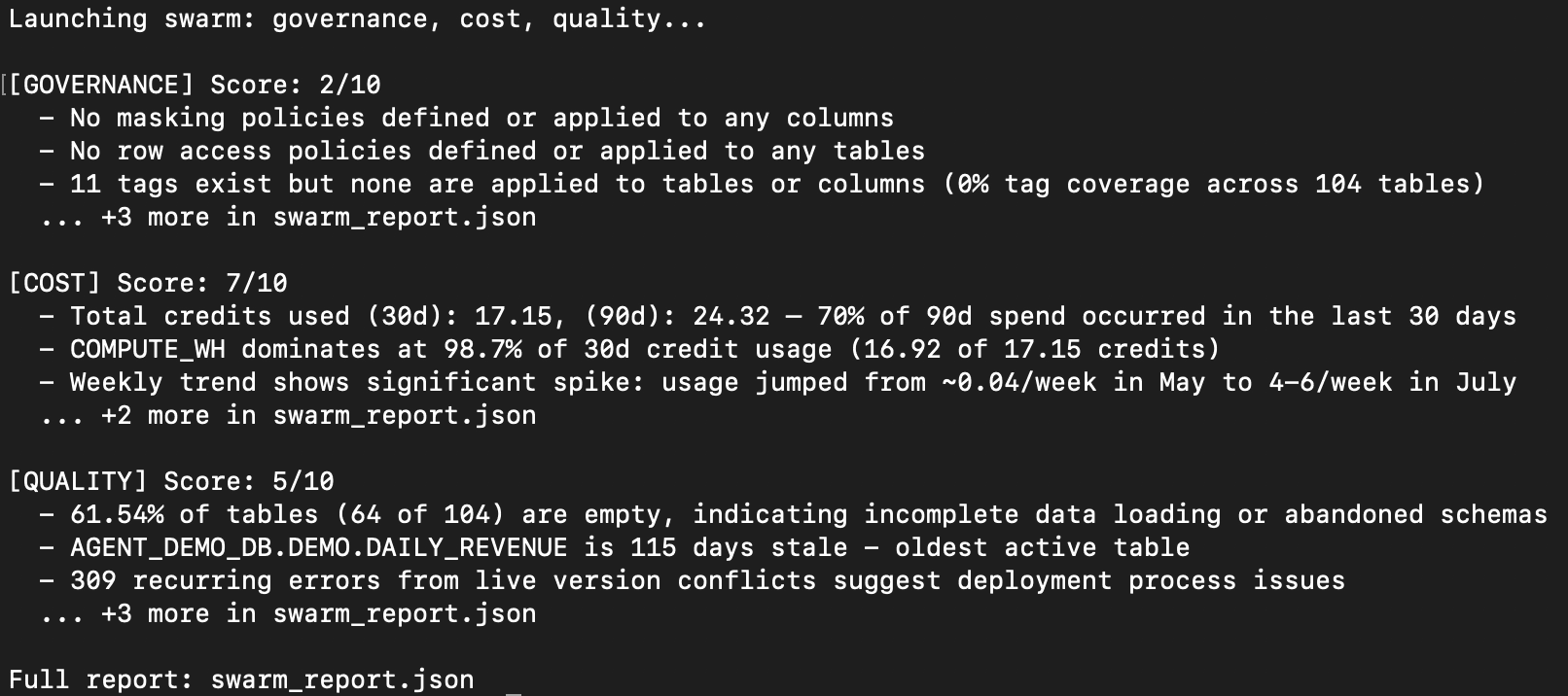
As a cherry on top, the last surprising use of CoCo is in your own apps! Cortex Code Agent SDK (in Preview) is meant exactly for this: incorporating CoCo agentic logic into your Python/TypeScript applications. As simple as pip install cortex-code-agent-sdk. Below is an example of a script running three CoCo agents from the earlier example to compile an audit report.
"""
Snowflake Account Health Swarm (Demo)
=====================================
"""
import asyncio
import json
from cortex_code_agent_sdk import query, AssistantMessage, CortexCodeAgentOptions
JSON_OUTPUT_RULES = (
"Respond with ONLY a JSON object: no prose, no markdown, no code fences, "
"nothing before or after it. Schema: "
'{"score": <1-10 integer>, "findings": [<short string>, ...], '
'"recommendations": [<short string>, ...]}. '
"findings and recommendations must be flat arrays of short strings, not nested objects."
)
AGENTS = {
"governance": f"Audit governance: check masking policies, row-access policies, tag coverage, and privileged roles using SNOWFLAKE.ACCOUNT_USAGE. {JSON_OUTPUT_RULES}",
"cost": f"Analyze costs: check credit usage (30d/90d), top warehouses, weekly trend, and storage using SNOWFLAKE.ACCOUNT_USAGE. {JSON_OUTPUT_RULES}",
"quality": f"Assess data quality: check table freshness, empty tables, query failure rates, and recurring errors using SNOWFLAKE.ACCOUNT_USAGE. {JSON_OUTPUT_RULES}",
}
def extract_json(text: str) -> dict | None:
"""Pull the first {...} JSON object out of free-form text, if any."""
start, end = text.find("{"), text.rfind("}")
if start == -1 or end == -1:
return None
try:
return json.loads(text[start:end + 1])
except json.JSONDecodeError:
return None
async def run_agent(name: str, prompt: str) -> dict:
"""Send a prompt to one Cortex Code agent and return its parsed JSON result."""
output = []
async for msg in query(
prompt=prompt,
options=CortexCodeAgentOptions(
allowed_tools=["SQL"],
# Both flags are required together, by design, as a two-key safety
# gate: permission_mode="bypassPermissions" states the *intent* to
# skip permission checks, but is a no-op on its own.
# allow_dangerously_skip_permissions=True is the separate
# confirmation that actually activates the bypass. This prevents
# permissions from being skipped by accident via a single flag.
permission_mode="bypassPermissions",
allow_dangerously_skip_permissions=True,
# Cost/quality agents sometimes burn a turn recovering from a
# blocked tool call before they even start querying; 10 wasn't
# always enough room left to also comply with the JSON-only
# output format at the end.
max_turns=15,
),
):
if isinstance(msg, AssistantMessage):
output.extend(block.text for block in msg.content if hasattr(block, "text"))
text = "".join(output)
return extract_json(text) or {"agent": name, "raw": text}
async def main():
print("Launching swarm: governance, cost, quality...\n")
results = await asyncio.gather(
*(run_agent(name, prompt) for name, prompt in AGENTS.items())
)
max_console_findings = 3
for name, result in zip(AGENTS, results):
findings = result.get("findings", [])
print(f"[{name.upper()}] Score: {result.get('score', '?')}/10")
for finding in findings[:max_console_findings]:
print(f" - {finding}")
remaining = len(findings) - max_console_findings
if remaining > 0:
print(f" ... +{remaining} more in swarm_report.json")
print()
with open("swarm_report.json", "w") as f:
json.dump(results, f, indent=2)
print("Full report: swarm_report.json")
if __name__ == "__main__":
asyncio.run(main())
Conclusions
I hope this article sparked new ideas and pushed the limits of what you do with CoCo. If you'd like a refresher on CoCo billing, check out the previous article, which covers all Cortex features. And remember: CoCo's capabilities expand every month, so there's more to come!